
Tutorial Touchdesigner
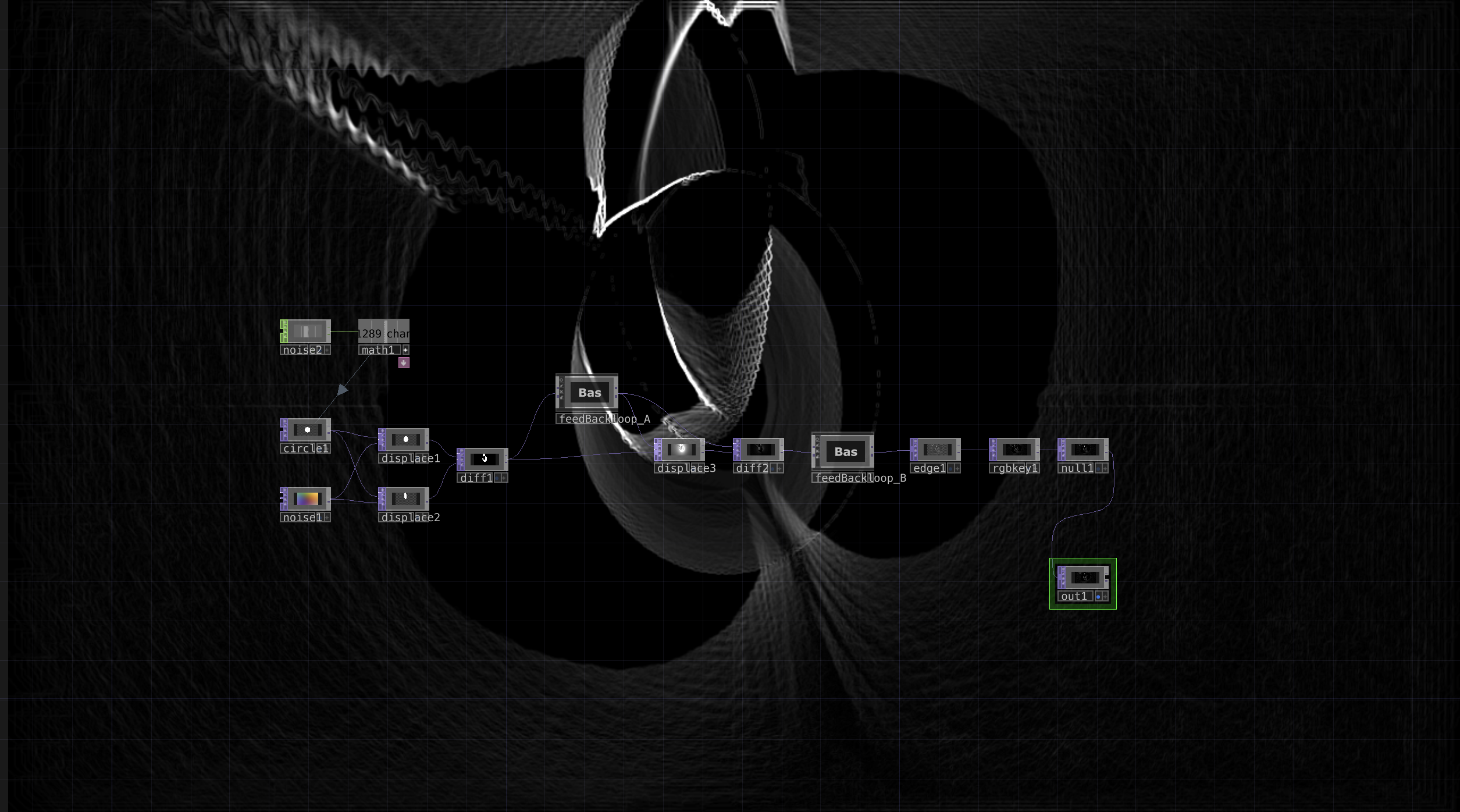
For this project, I created a generative 2D visual in TouchDesigner based on displacement, feedback loops, and edge detection. The visual starts from a simple circle that gets displaced by animated noise, creating organic shapes that constantly evolve. I built two feedback loops to generate motion trails and distortion, and finally used edge detection and color correction to enhance the shapes and brightness. The result is an abstract, flowing motion that looks dynamic and alive, even though the network itself is quite small and efficient.
Reflection
I really enjoy working in Touchdesigner, because it combined both creativity and technical exploration. Building visuals in TouchDesigner feels like experimenting with living digital materials, where every small change creates something new and unexpected. It was satisfying to see how a simple shape like a circle could turn into a complex, animated artwork just by layering feedback and effects.
I also liked that this process allowed me to be playful. Instead of following a fixed plan, I could adjust parameters and instantly see the results, which kept me curious. This project helped me better understand how feedback loops and displacement work, because I could not really get it right the first times.
Overall, it was a fun and inspiring exercise. It reminded me why I enjoy making visuals the mix of creativity and experimentation. I really want to discover Touchdesigner more and get to know what I will be able to do. This is definitely not my last time making visuals.